
HELP CENTER / AI ASSISTANTS
Connect ChatGPT to
TotalBrokerage
Connect ChatGPT to TotalBrokerage using Model Context Protocol (MCP). Ask your AI assistant about transactions, tasks, and commissions you can already access.
For agents and brokers · Uses your existing TotalBrokerage permissions
Before you begin
Have your TotalBrokerage sign-in ready and use ChatGPT on a computer with an account that can add custom MCP servers. Availability depends on your plan and workspace permissions.
STEP 1
Open your profile
Sign in to TotalBrokerage. Select your name in the upper-right corner, then My Profile.
* Screenshots in this article were taken November 9, 2026. Screens and labels may change.
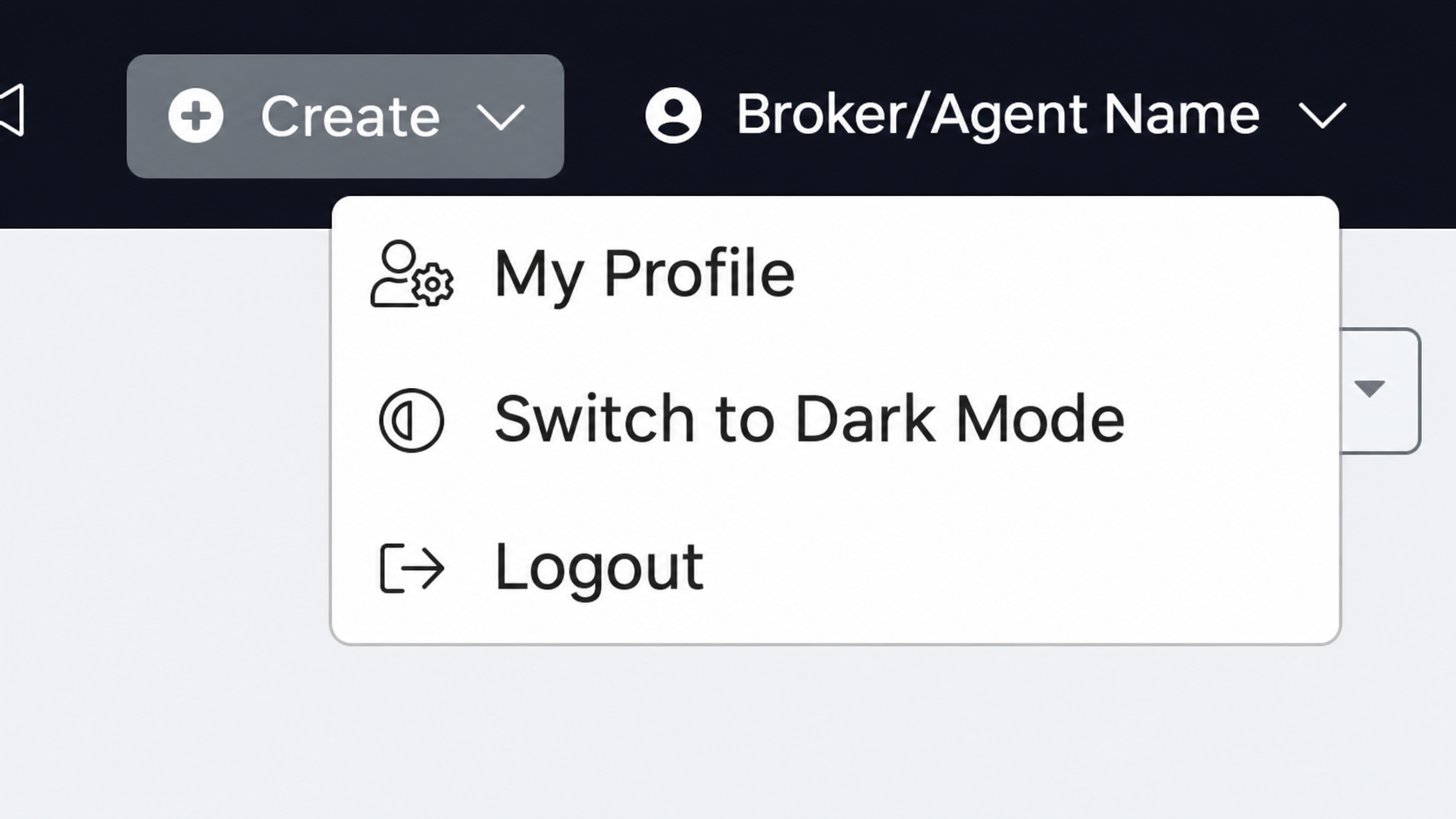
Select My Profile from your account menu.
STEP 2
Choose your AI assistant
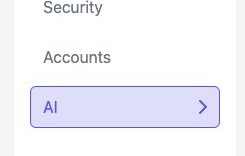
Select the AI tab, then Connect AI Assistant.
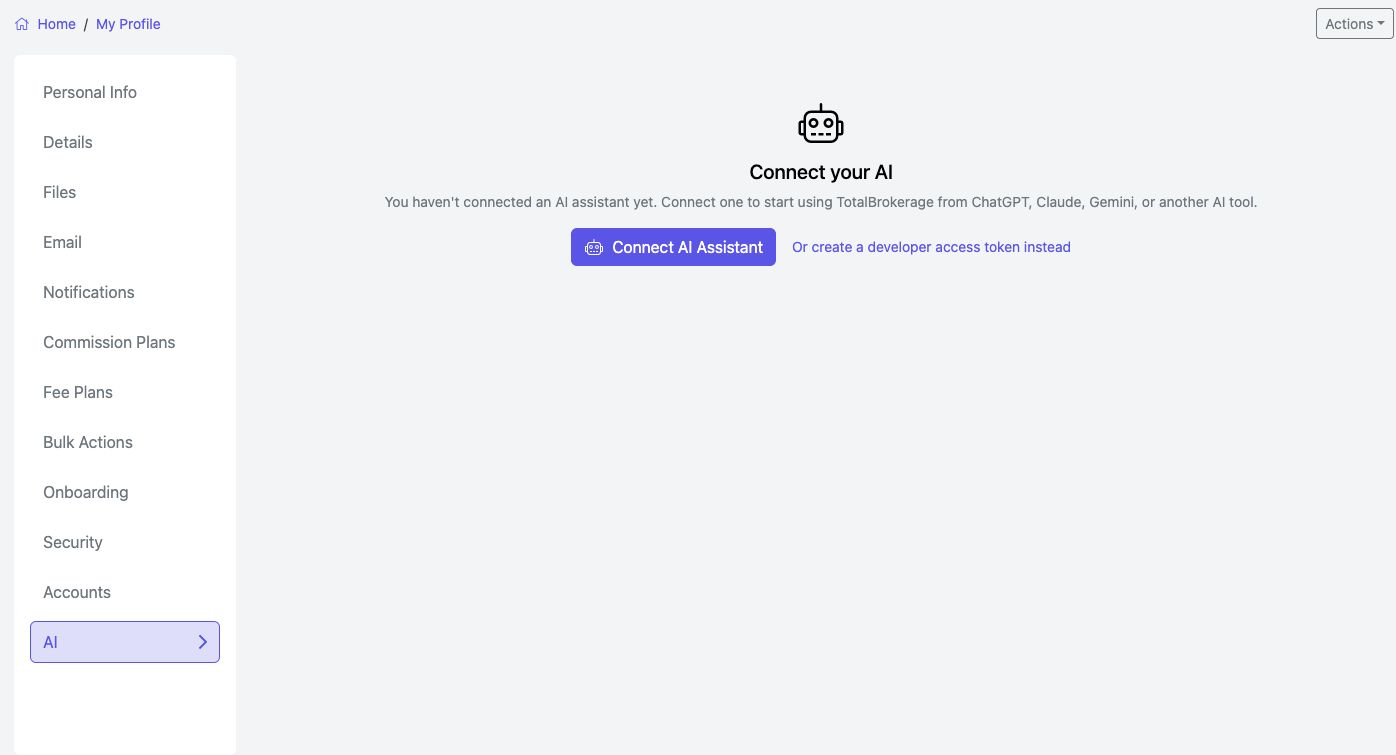
My Profile → AI. Select a screenshot to open its full-size image in a new tab.
A Select the AI tab
B Open the connection instructions

Choose ChatGPT in the connection instructions.
STEP 3
Add the connection in ChatGPT
Add TotalBrokerage manually using its MCP server address.
- In ChatGPT, open Plugins from the sidebar, or use Settings → Plugins.
- Select Browse directory if shown.
- At the upper right, select Add → Add custom MCP server.
- Enter the name and Server URL shown below. Leave Authentication set to OAuth.

The current manual setup option is under Add at the upper right.
NAME
TotalBrokerage
SERVER URL
https://login.totalbrokerage.com/mcp/api
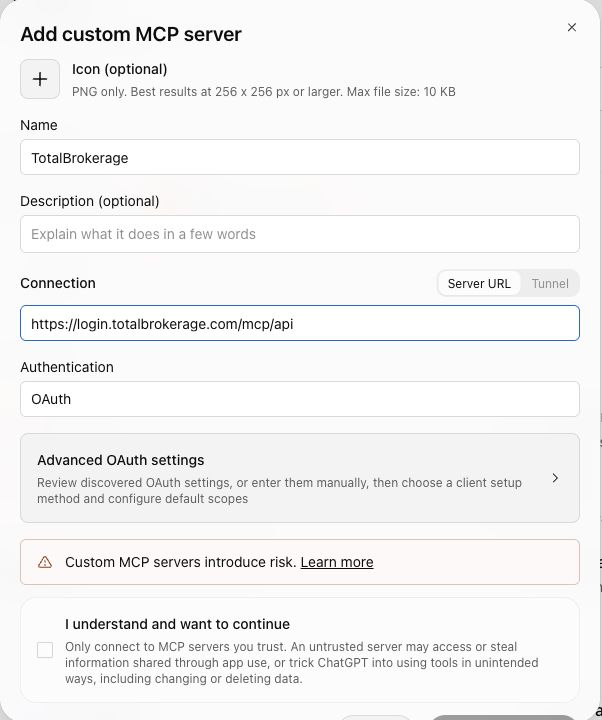
Enter the name and URL exactly as shown. Optional icon and description fields may be left blank.
MCP is the connection method. You add the server directly with this URL; you do not need to locate a TotalBrokerage listing in the public directory.
STEP 4
Sign in and approve access
Complete the connection with your TotalBrokerage account.
- Review ChatGPT’s custom-server notice, acknowledge it if you wish to continue, and select Create as a plugin. This is ChatGPT’s current label for adding your manual MCP connection.
- Sign in to your TotalBrokerage account and approve access when prompted.
- Return to ChatGPT and start with a question about your own work.
TRY A QUESTION
“Use TotalBrokerage to show my transactions closing in the next 30 days.”
More ideas
- Use TotalBrokerage to show my incomplete tasks due in the next 7 days.
- Use TotalBrokerage to summarize my commission figures for last month and state which date basis you used.
The connection can look up transactions, tasks, and commissions within your existing access. You can disconnect at any time from the Connected Apps list in TotalBrokerage’s AI tab.
If you get stuck
I can’t find the AI tab
Confirm that you opened My Profile. If the AI tab is still missing, contact TotalBrokerage Support to confirm availability for your account.
My ChatGPT screen looks different
Confirm that your plan supports custom MCP connections. ChatGPT’s labels and layouts can change; use the manual custom-server option with the URL above. If you are still stuck, contact Support with the step and exact error.