
This article explains how Dotloop authentication works with TotalBrokerage, the two available authentication methods, and what data is imported when loops are synchronized.
OVERVIEW
TotalBrokerage supports two methods of authenticating with Dotloop:
Brokerage-Level Authentication – Managed at the brokerage level and intended for firm-wide synchronization.
Account-Level Authentication – Managed by individual users for their own Dotloop account.
Each method has specific requirements, use cases, and limitations. It is important to choose the correct method based on your brokerage’s setup and goals.
BROKERAGE-LEVEL AUTHENTICATION
Requirements
The authenticating Dotloop profile must be marked as a
COMPANYprofile in Dotloop.If the profile is not marked as
COMPANY, authentication will fail and an error message will be displayed.
Important Notes
The account used for brokerage-level authentication cannot and should not use account-level authentication.
Brokerage-level authentication enables automatic syncing for the entire brokerage once properly configured.
NAVIGATION
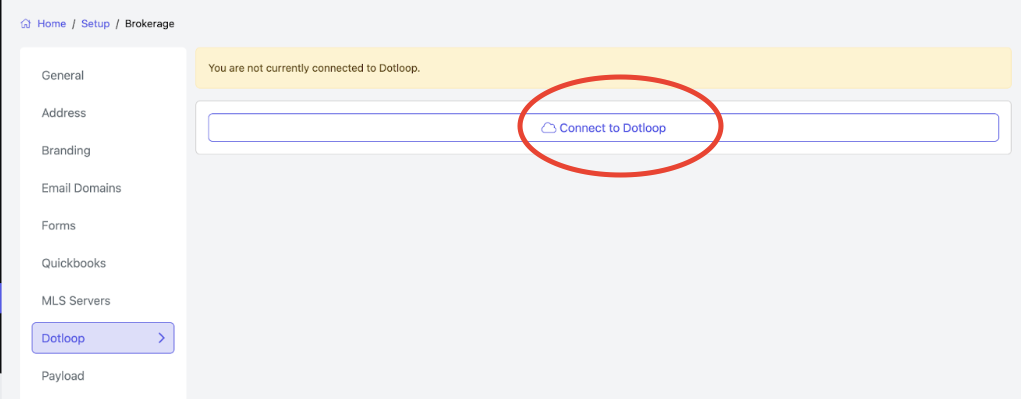
Setup → Brokerage → Dotloop
- Click Connect to Dotloop
SYNC OPTIONS

To synchronize your agents,
please contact TotalBrokerage Support using: Support@TotalBrokerage.com.
Only agents who have been synchronized will have their Loops imported.
1. Sync All Accounts for Brokerage
Creates or matches a TotalBrokerage account for every Dotloop profile connected to the brokerage-level Dotloop account.
Matching is done via email address.
This ensures the system can correctly assign the Transaction Owner when loops are created or updated.
Recommended Use:
New brokerages onboarding to TotalBrokerage
Brokerages migrating historical data from Dotloop into TotalBrokerage
2. Sync All Loops for Brokerage
Imports all existing Dotloop loops into TotalBrokerage.
This should be run after all accounts have been synced.
Recommended Use:
New brokerages copying existing Dotloop data into TotalBrokerage
ONGOING SYNC BEHAVIOR
Once brokerage-level authentication is complete:
Any loop created or updated in Dotloop will automatically create or update a transaction in TotalBrokerage.
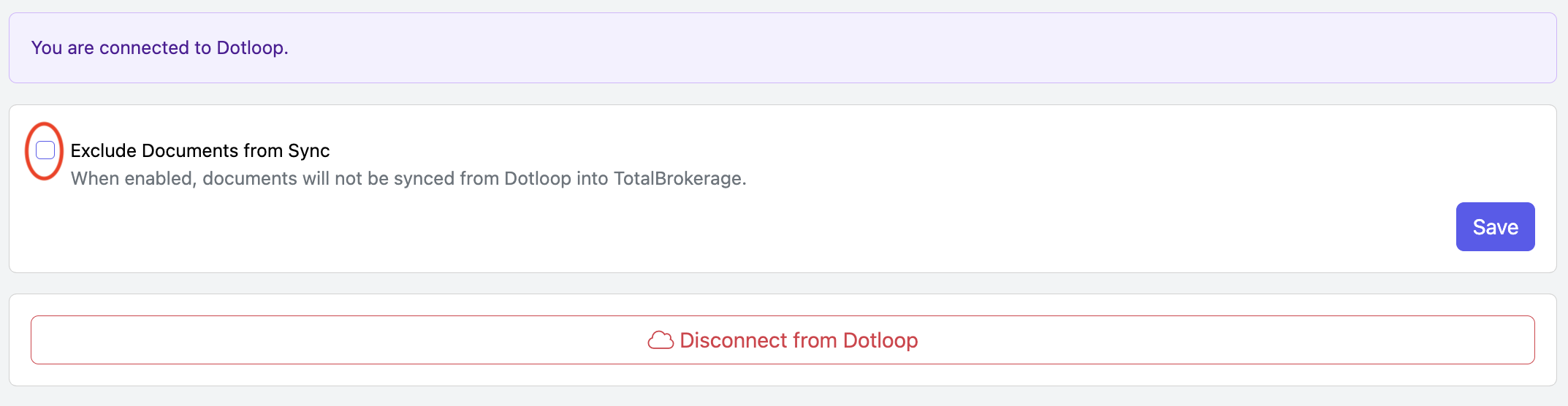
If you only want to sync transaction data and not documents, enable Exclude Documents from Sync.
For the transaction owner to be set correctly:
The loop owner must have a matching TotalBrokerage account, and
The account must either:
Have completed account-level authentication, or
Be matched through Sync All Accounts for Brokerage
ACCOUNT-LEVEL AUTHENTICATION
Requirements
The authenticating Dotloop profile must be marked as an
INDIVIDUALprofile in Dotloop.If the profile is not marked as
INDIVIDUAL, authentication will fail and an error message will be displayed.
NAVIGATION
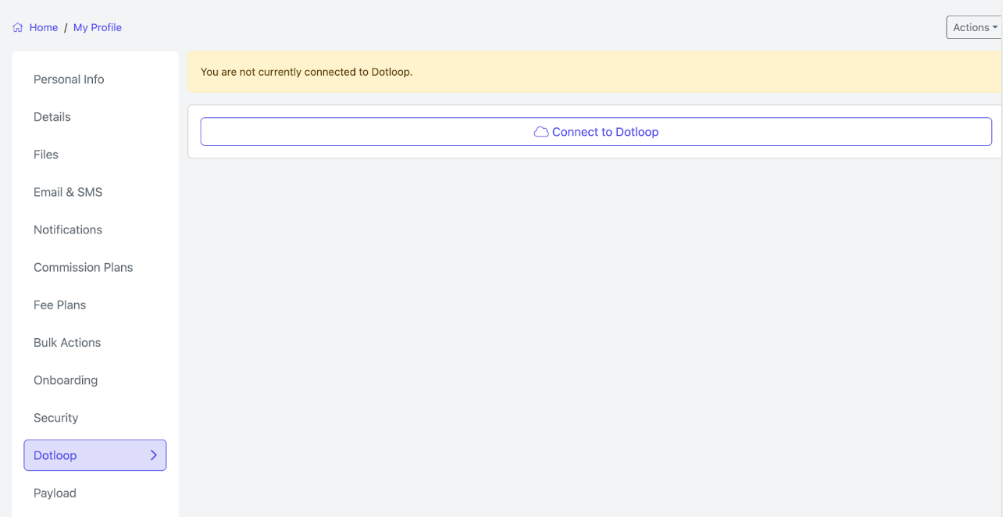
MyProfile → Dotloop
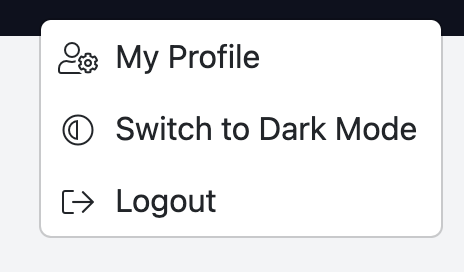
From the dropdown under your name in the upper-right corner, select My Profile.
Click Connect to Dotloop.
Automatic Loop Sync
After authenticating at the account level, users can enable or disable Automatic Loop Sync:
Location:
Profile → DotloopWhen enabled, any loop created or updated under the user’s Dotloop account will automatically create or update a transaction in TotalBrokerage.
This behavior is similar to brokerage-level authentication but applies only to the individual user’s loops.
Synchronize From Loop (Manual Sync)
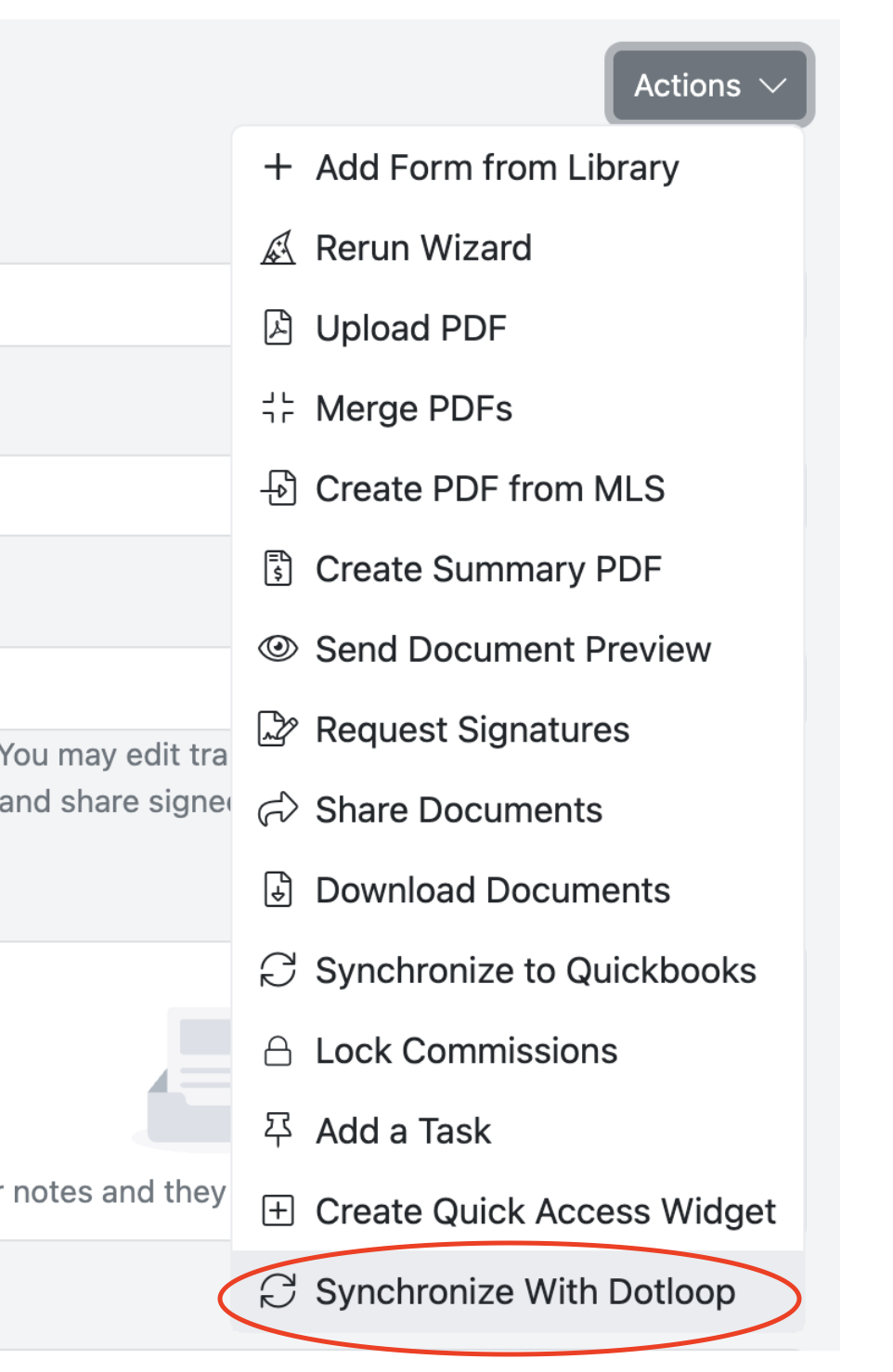
After account-level authentication, users gain access to Synchronize From Loop within a TotalBrokerage transaction.
- Open the transaction in TotalBrokerage.
- Go to Actions > Synchronize with Dotloop.
WHAT GETS IMPORTED FROM DOTLOOP?
When a loop is synchronized, the following data is imported into TotalBrokerage:
Transaction Details
Transaction Name → Set to the Dotloop loop name
Property Information → Copied to the Property tab
Financial Mappings
| Dotloop Field | TotalBrokerage Field |
|---|---|
| Purchase / Sale Price | Sale Price |
| Earnest Money Amount | Initial Deposit |
| Sale Commission Split $ (Buy Side) | Buyer’s Agent Commission |
| Sale Commission Split $ (Sell Side) | Seller’s Agent Commission |
Date Mappings
| Dotloop Date | TotalBrokerage Date |
| Contract Agreement Date | Effective Date |
| Closing Date | Closing Date |
| Listing Date | Listing Start Date |
Additional Imports
Loop Participants → Added as contacts on the transaction
Loop Documents → Added as transaction documents
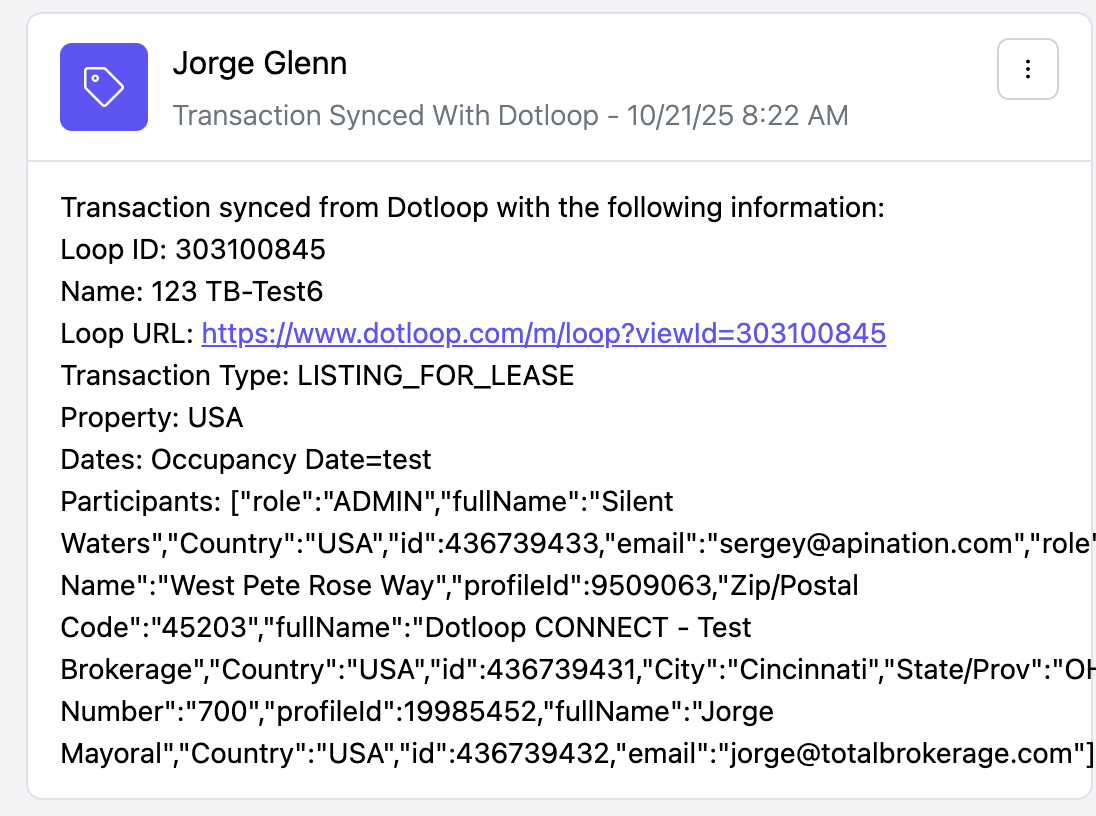
Activity Log Entry → Created on the transaction, which may include:
Additional financials
Additional dates
Loop participant details
Other information not directly mapped
Transaction Notes
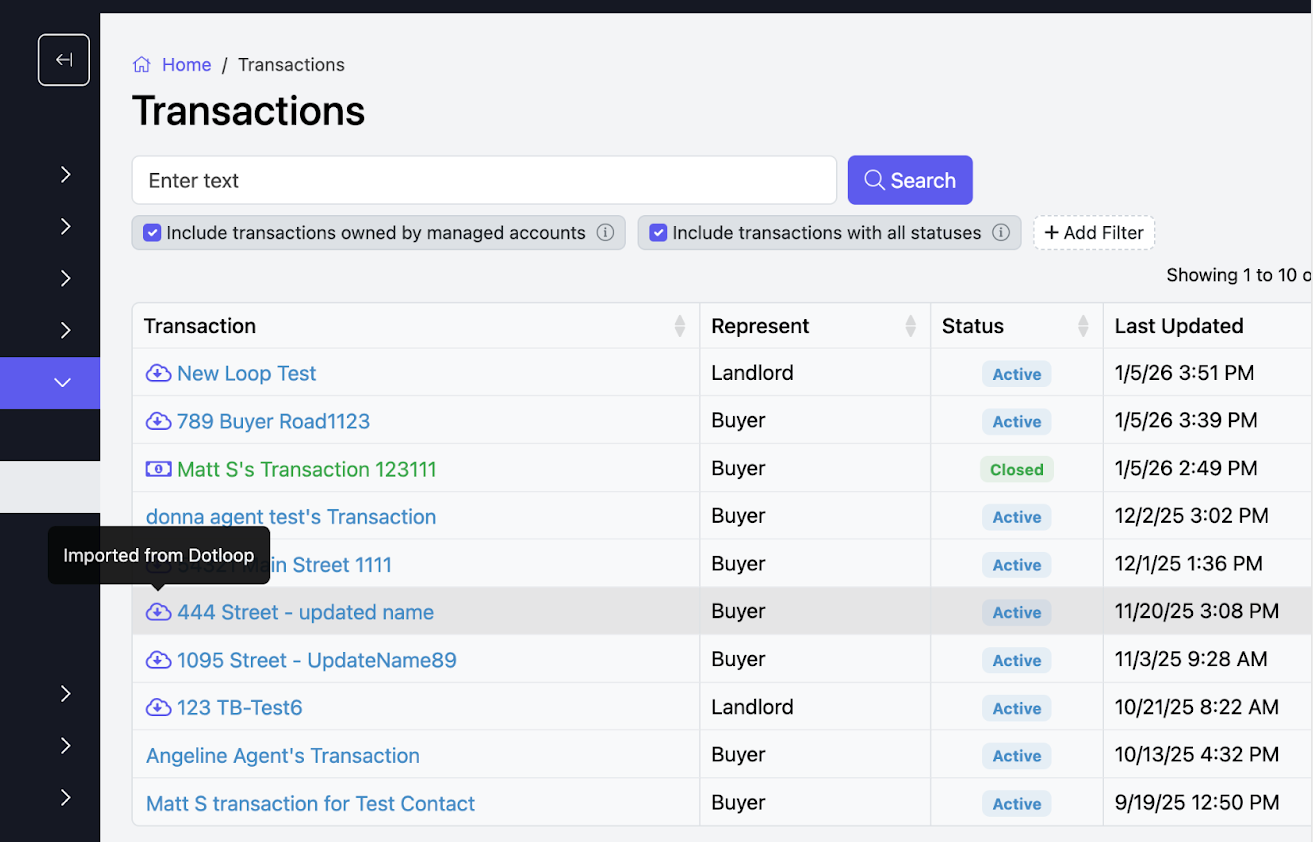
Transactions imported or updated via Dotloop will display an “Imported From Dotloop” note in Transaction Search for easy identification.
SUMMARY
Use Brokerage-Level Authentication for firm-wide syncing and large data migrations.
Use Account-Level Authentication for individual agent control and manual loop synchronization.
Ensure Dotloop profiles are correctly marked as
COMPANYorINDIVIDUALbefore authenticating to avoid errors.
For assistance with brokerage-wide sync options, please contact Support@TotalBrokerage.com.