
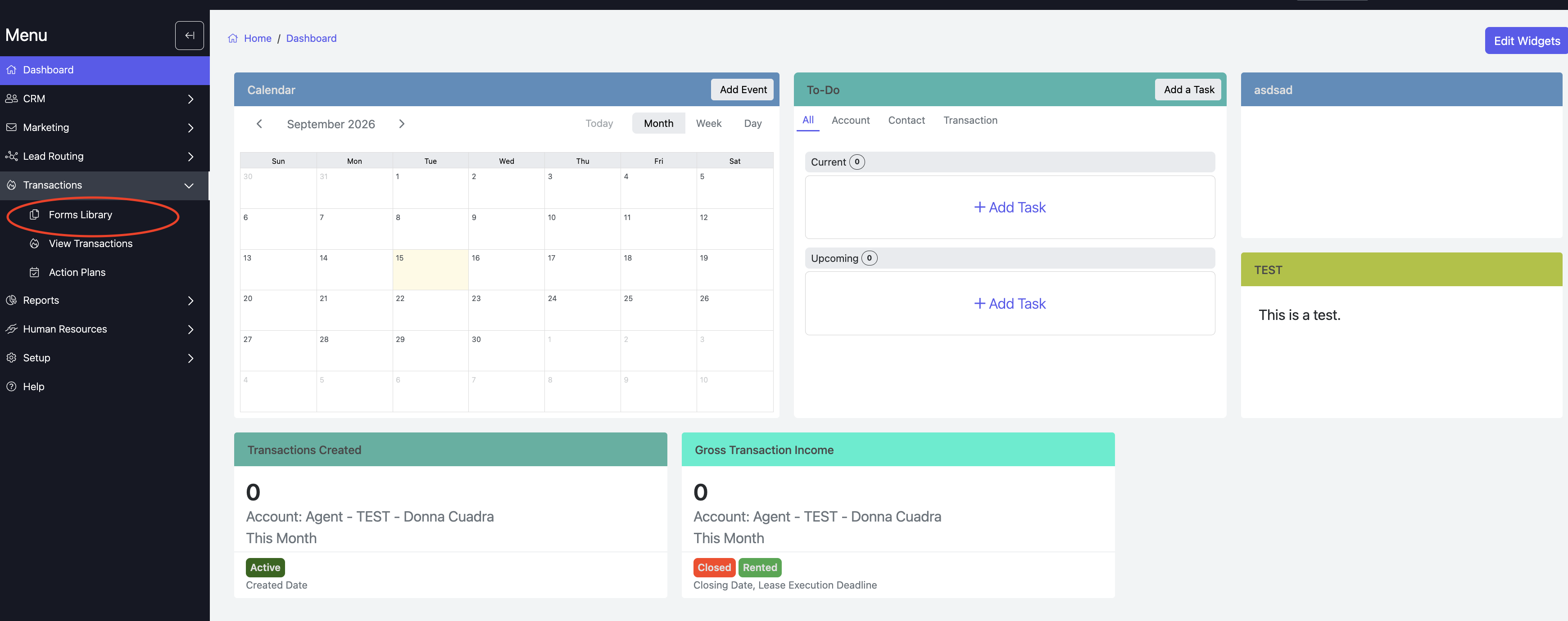
To add a new form to TotalBrokerage, go to Transactions → Forms Library.
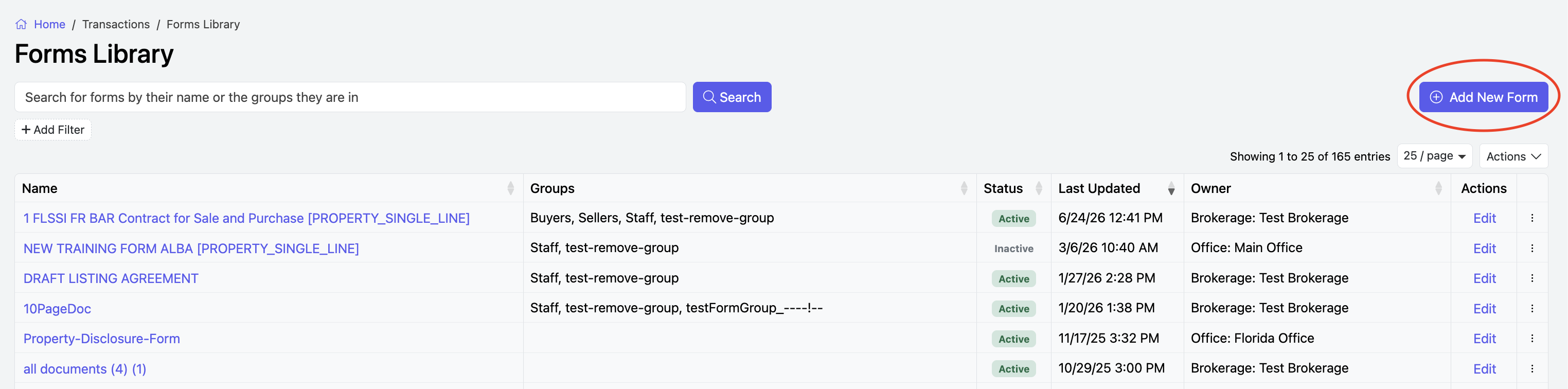
In the top-right corner, click Actions and +Add New Form.
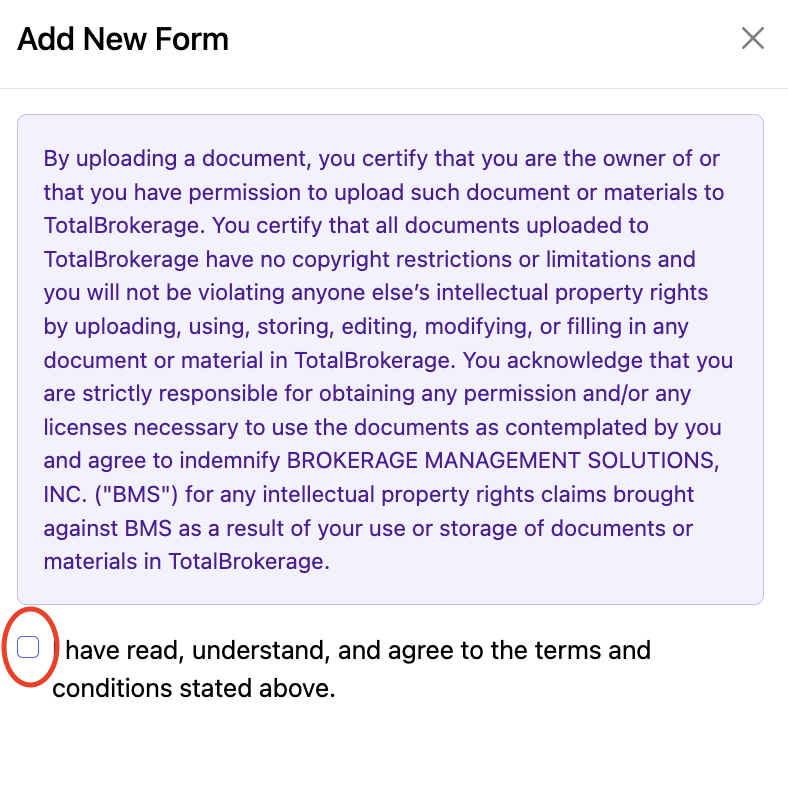
Select the checkbox to agree to the disclaimer.
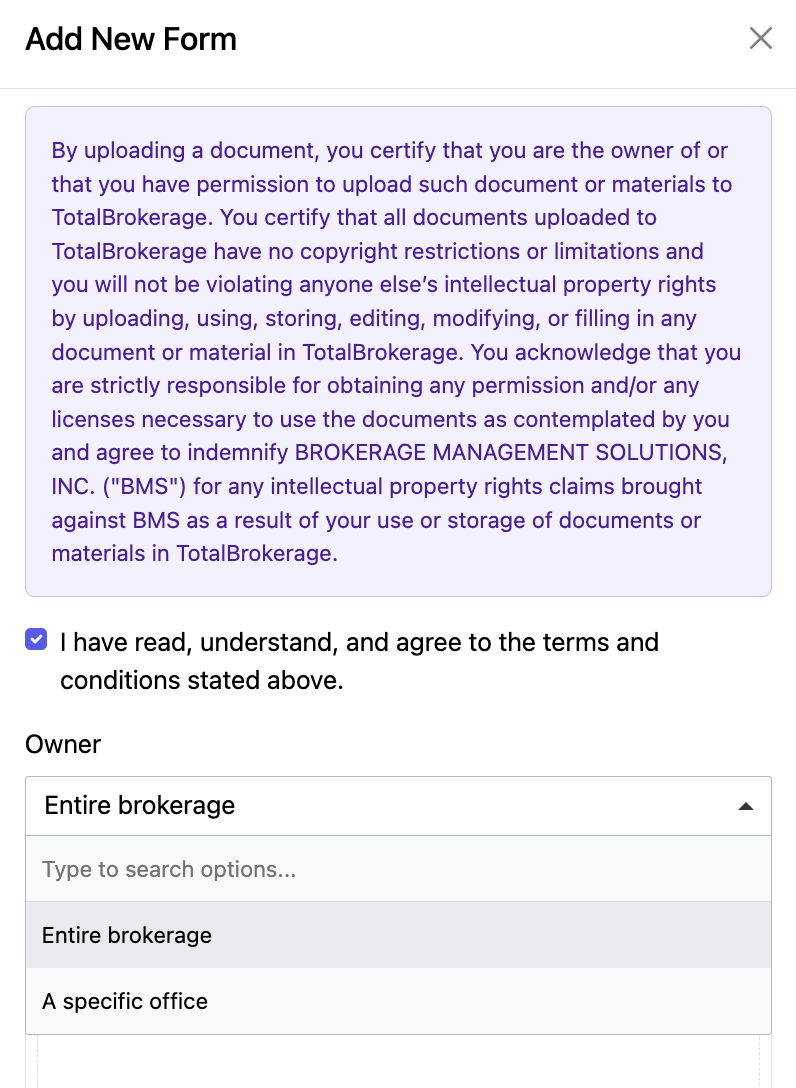
Choose who you want to have access to the form.
The Entire Brokerage will allow everyone to use this form, or you can select a specific office.
Browse your device and select the form you want to upload.
You may also drag and drop forms.

After adding the forms you want to upload, click the blue Upload button at the bottom right.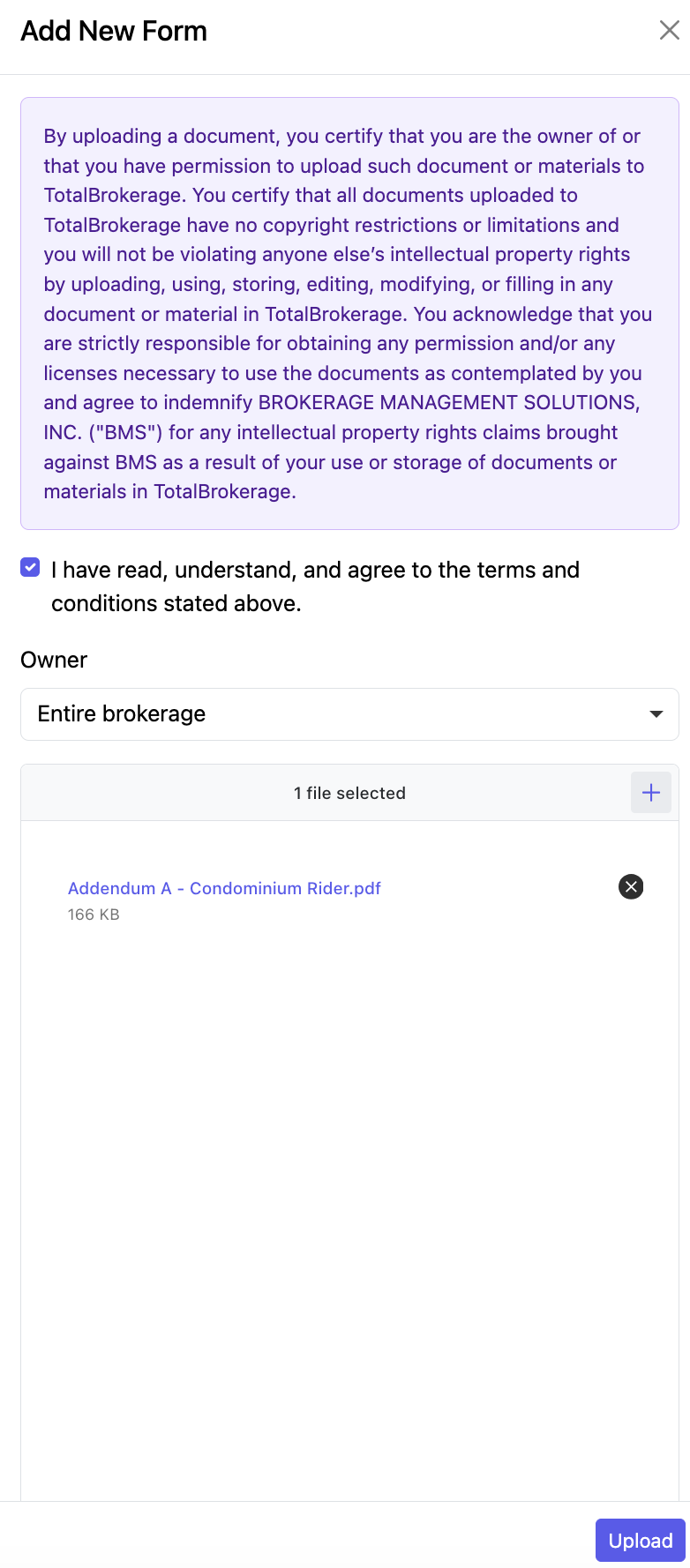
Once it is done uploading, it will appear at the top of your Forms Library list.
To edit/map the form click on the form name or click Edit.
Click HERE for instructions on editing forms.